
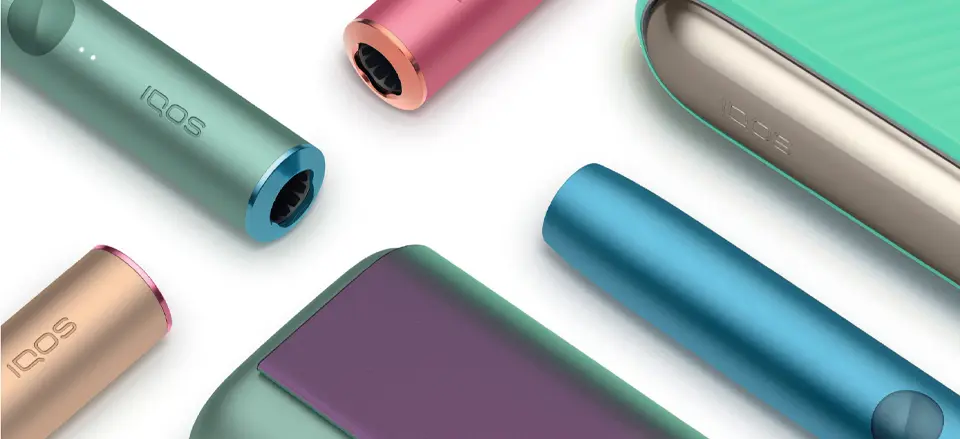
Why Buyers Compare ILUMA I and ILUMA ONE
Within the ILUMA generation, two models attract especially frequent comparison: ILUMA I and ILUMA ONE. Both belong to the same platform family, but they are built for different usage priorities. Because the names are similar, many adult users initially assume the difference is minor — but in daily use, the experience can feel quite different.
The most common reason for confusion is that buyers compare them by name instead of by scenario. In reality, these two models are optimized for different patterns: one emphasizes extended functionality and control, while the other emphasizes compact portability and simplicity.
When users begin device selection, they often start with structured guides such as how to choose your first IQOS devicebefore narrowing down to specific ILUMA variants.
Same Generation, Different Priorities
ILUMA I and ILUMA ONE share the same generation platform. That means:
• same technology family
• same compatible stick ecosystem
• same general usage logic
• same platform direction
However, they differ in priority design goals:
• feature emphasis
• size and portability
• control elements
• session handling style
Understanding priority differences is more useful than comparing specification lists.
Scenario-Based Choice Works Best
The most reliable comparison method is scenario-based:
• Where will the device be used most?
• How often is it carried?
• Is compact size critical?
• Are extra controls and indicators important?
Answering these questions usually points clearly toward one model.
Platform Context: Where I and ONE Sit Inside ILUMA
It also helps to place both devices inside the broader ILUMA platform map. They are not isolated models — they sit inside a structured generation lineup.
ILUMA platform positioning and generational differences are explained in IQOS ILUMA vs ILUMA PRIME comparisonwhich clarifies how tier and model branches work inside the same generation.
Model Branch vs Tier Branch
Inside ILUMA generation there are two different comparison axes:
• model branch — I vs ONE vs other ILUMA variants
• tier branch — standard vs premium-tier variants
ILUMA I vs ILUMA ONE is a model branch comparison, not a tier comparison. That means the difference is more about structure and use style than exterior luxury level.
Don’t Mix Model Type With Tier Level
Many comparison mistakes happen when model type and tier level are mixed together. Keeping those dimensions separate makes the decision clearer and faster.
Where to View ILUMA Models Side by Side
When comparing closely related models, it is easier to evaluate differences inside structured model groupings rather than scattered listings. Grouped presentation makes size, positioning, and naming clearer.
ILUMA generation kits are grouped together in structured collections such as ILUMA device kits categorywhere users can review model families within the same generation cluster.
Clustered Viewing Improves Comparison Accuracy
Clustered model viewing helps buyers compare:
• naming structure
• model positioning
• variant differences
• generation grouping
This reduces confusion caused by mixed-generation browsing.
Compare Within Generation First
The correct comparison order is:
generation → model → features → finish
Following this order prevents wrong-device selection.
Form Factor and Portability Differences
The biggest practical difference between ILUMA I and ILUMA ONE appears in form factor. While both devices belong to the same generation, they are built with different physical priorities. Size, integration level, and carry style shape how each model fits daily routines.
ILUMA ONE is designed around compact integration. It combines major functional elements into a smaller, unified body format. ILUMA I, by contrast, follows a more feature-forward structure with additional controls and expanded interaction elements.
These differences are not cosmetic — they change how the device feels in everyday handling.
Compact Integrated Model vs Feature-Forward Model
In practical daily use, the contrast usually looks like this:
ILUMA ONE pattern
• compact body
• simpler exterior layout
• quick grab-and-go behavior
• fewer interaction elements
• strong travel friendliness
ILUMA I pattern
• more control elements
• more visible indicators
• expanded interaction feedback
• feature-oriented layout
Compactness favors mobility. Feature density favors control visibility.
Pocket Carry vs Desk Presence
Users who frequently carry the device throughout the day often prioritize compact integrated designs. Smaller footprint and simpler exterior geometry tend to feel more comfortable in constant carry scenarios.
Model examples such as IQOS ILUMA ONEare commonly referenced when discussing portability-first usage patterns.
Controls, Indicators, and User Interaction
Another meaningful difference between ILUMA I and ILUMA ONE is how the user interacts with the device. Control layout and indicator systems shape how clearly the device communicates status and session stages.
Some users strongly prefer visible feedback and additional interaction signals. Others prefer minimal controls and simplified operation.
Expanded Feedback vs Simplified Operation
Feature-forward models like ILUMA I typically emphasize:
• richer indicator feedback
• clearer status signaling
• more visible control interaction
• expanded user prompts
Compact models like ONE usually emphasize:
• simplified interaction
• reduced control complexity
• minimal exterior signals
• faster learning curve
Neither approach is universally better — they serve different preference types.
A deeper behavior-focused evaluation of the feature-forward model side is discussed in IQOS ILUMA I review.
Learning Curve Differences
Users who prefer straightforward operation often adapt faster to simplified layouts. Users who like more device feedback and visible status signals often prefer expanded-control models.
Learning style matters more than specification lists.
Use-Case Scenarios: When Each Model Makes More Sense
The most reliable way to choose between ILUMA I and ILUMA ONE is not by specifications, but by real-life usage scenarios. When device choice is matched to lifestyle pattern, satisfaction is usually higher and switching regret is lower.
Both models work within the same generation — but they are optimized for different daily contexts.
When ILUMA ONE Is Usually the Better Fit
ILUMA ONE most often fits users who:
• prioritize compact size
• carry the device all day
• travel frequently
• want fewer controls and simpler interaction
• prefer integrated body design
In mobility-first scenarios, compact integrated models tend to feel more natural and less intrusive in daily carry. Quick access and simplified handling become more important than expanded control feedback.
Experience-focused evaluations such as IQOS ILUMA ONE review typically analyze this compact-use pattern in more depth.
When ILUMA I Is Usually the Better Fit
ILUMA I more often fits users who:
• value richer device feedback
• want clearer indicators and signals
• prefer more interaction detail
• use the device in stable environments
• like feature-visible hardware
Feature-forward models tend to feel more satisfying for users who like device awareness and interaction clarity rather than minimalism.
Upgrade Path Decisions: Replace or Downsize
Another common decision is not first purchase — but upgrade or secondary-device selection. Some users move from older generations and must choose which ILUMA branch fits better. Others already own a primary device and are choosing a lighter secondary one.
Upgrade logic is different from first-device logic.
Primary Device vs Secondary Device Strategy
A common pattern looks like this:
Primary device choice
• more features
• richer feedback
• fuller control visibility
Secondary / backup device
• smaller size
• simpler handling
• portability focus
In that strategy, users often choose a feature-forward model as primary and a compact model as secondary.
Broader model-ranking frameworks such as best IQOS ILUMA model to buy are often used to support this two-device decision approach.
Avoid Spec-Only Upgrade Decisions
Upgrading based only on specification lists often leads to mismatch. Scenario fit is a more reliable upgrade filter than feature count.
Simple Final Decision Framework
Instead of comparing every detail, it is more effective to apply a short decision framework.
Three-Step Selection Logic
Step 1 — Confirm generation
Choose ILUMA generation if you want current platform compatibility.
Step 2 — Choose model style
Compact, integrated, mobility-first → ONE
Feature-forward, feedback-rich → I
Step 3 — Confirm with structured catalog view
Compare models inside grouped listings such as ILUMA device collectionsto avoid cross-generation confusion.
Final Perspective
ILUMA I and ILUMA ONE are not competitors — they are parallel model branches inside the same platform. The correct choice depends on portability needs, control preference, and usage scenario — not on model name alone.
Users who choose by scenario instead of label usually make faster, more confident decisions and stay satisfied longer.















Add comment
You must be logged in to post a comment.